Creative Fabrica
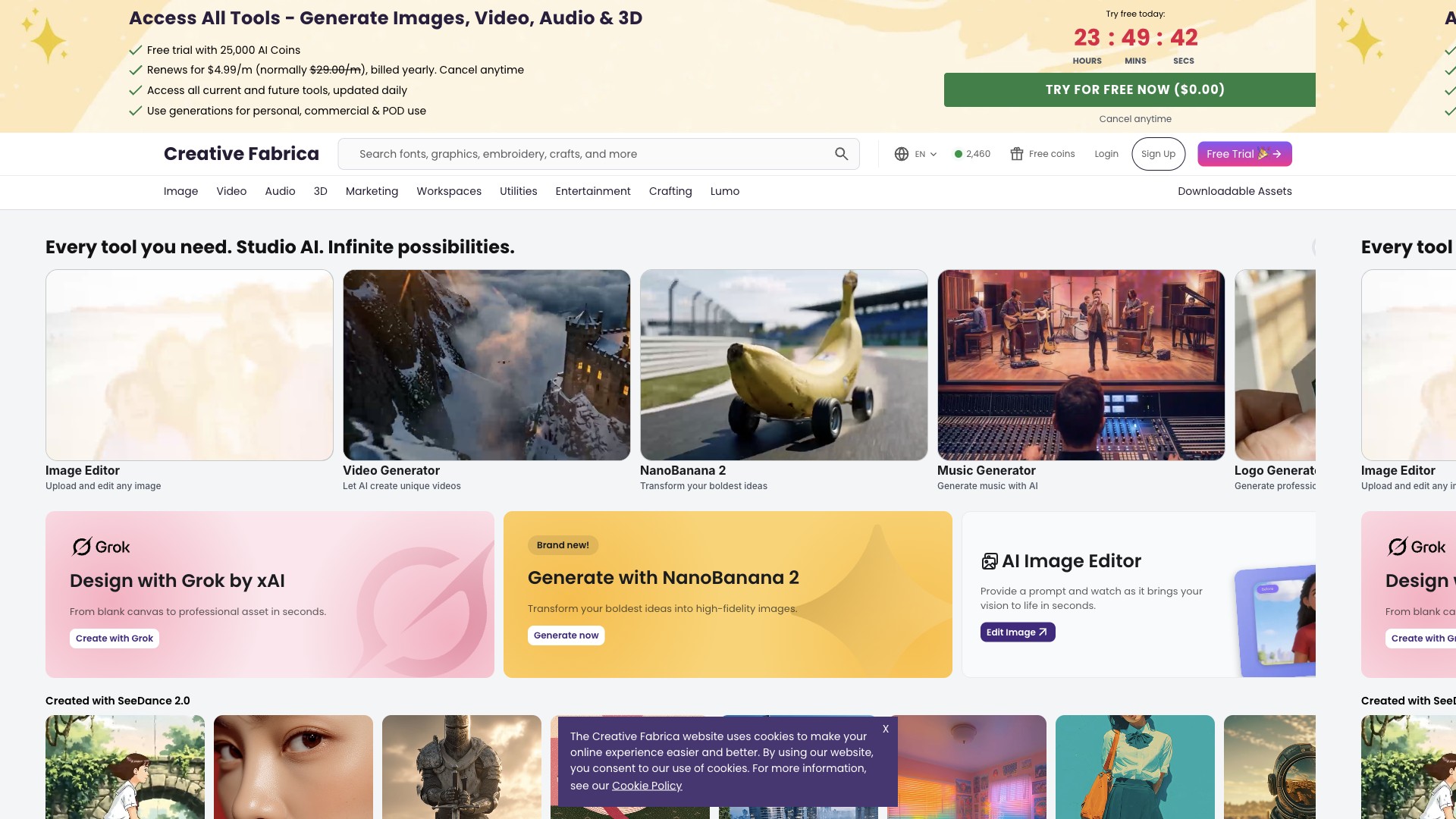
Active creative assets marketplaceCreative Fabrica is a subscription-led marketplace for fonts, graphics, crafts, embroidery, classes, and AI-assisted tools — aimed at designers and POD sellers who need licensed downloads for merchandise and marketing, with tiered plans that include Basic or Full POD use where offered.
Creative Fabrica Website
At a glance
Regions
Cloud software; availability depends on their hosting and your local regulations.
Best for
Typical user profiles that get the most from this product category.
Outputs
What you can produce or export from the tool.
Creative Fabrica
Creative Fabrica operates as a catalogue plus subscription: you browse individual products or take an All Access-style plan for unlimited downloads within the subscription terms, then export files to your design stack or POD partner. Physical fulfilment always happens outside Creative Fabrica — your printer or marketplace rules still apply.
What you can create
Fonts & typography
Graphics & templates
Crafts, cutting & POD-oriented assets
Classes & AI tools
Exact inclusions, download caps on trials, and POD licence scope depend on the subscription tier and the individual product licence. Read the current subscription licence and per-file terms on https://www.creativefabrica.com/ before using assets on merchandise for resale.
Platforms & integrations
Use the website to search, license, and download, then upload files to your design tool (Illustrator, Affinity, Canva where formats allow), ecommerce platform, or POD dashboard. Seller integrations are not the same as a native POD fulfilment API.
Downloads & access
Availability
Digital: downloads are available after purchase or when your subscription and account entitlements allow access — typically immediately, subject to checkout and regional payment success.
Fulfilment type
Not applicable — deliverables are digital files; there are no courier shipments from Creative Fabrica for standard asset purchases.
Keep local backups of purchased files. Subscription access can change if a plan lapses — confirm whether re-downloads remain available under your licence.
Files & print readiness
Quality varies by creator; inspect resolution, layer structure, and licence before committing to large POD runs.
RGB screen previews may differ from printed CMYK or sublimation output — soft-proof with your supplier's profile where possible.
Licensing durability depends on maintaining valid entitlements and adhering to per-asset terms; some items may be subscription-only for the duration of an active plan.
Plans & value
Model
Free tier with limited catalogue access; paid subscriptions (All Access and Full POD tiers where offered) with monthly or annual billing; single-purchase listings also available.
Public list prices (USD)
- Public subscription pages advertise simplified USD tiers (regional pricing may differ) — e.g. All Access around $9.99/month or lower effective monthly rates on annual billing, and a higher tier for Full POD coverage — confirm live numbers on
https://www.creativefabrica.com/subscription/. - Free trial promotions on the marketing site may show a low renewal rate when billed annually — read checkout carefully for currency and renewal date.
- Single purchases vary by product (fonts, bundles, graphics).
Annual billing is typically cheaper per month than monthly billing where both are offered; flash sales and affiliate promotions appear on the marketing site.
Editor & brand tools
- Per-asset commercial terms
- POD-oriented plans where advertised
- Creator storefronts for sellers (separate onboarding)
Every download is governed by Creative Fabrica’s licence and often the creator’s terms. POD resale generally requires a plan and asset combination that explicitly allows it — do not assume all graphics permit unlimited merchandise use.
Summary
Creative Fabrica bundles millions of creative assets behind All Access-style subscriptions (plus per-item purchases), with separate licence tracks for personal, commercial, and print-on-demand use depending on plan and product. You download files and apply them in your own editor or POD workflow — Creative Fabrica does not fulfil physical products.
Pros & cons
Pros
- Very large catalogue spanning fonts, crafts, graphics, and classes in one membership.
- Clear affiliate story for publishers who want to monetise recommendations.
- POD-focused subscription tier (where available) targets sellers who need broader commercial use.
- Frequent promotions and freebies for list-building and testing assets.
Cons
- Licence homework — not every file allows every resale scenario.
- Subscription dependency for unlimited-style access; catalogue churn can affect long-term availability.
- Limited native ecommerce integrations compared with all-in-one design suites.
- Variable creator quality — inspect files before bulk production.
Our scores
Scores compare creative asset marketplaces in this directory. Print quality reflects how well typical files suit POD prep when paired with your own QC; shipping is instant digital delivery.
Earn by recommending Creative Fabrica
Payouts are typically handled via In-house. Typical commission language on the vendor site: Marketing copy cites 25% on qualifying orders (including first-year subscription scenarios) and 20% on subscription extensions — confirm your dashboard after approval.
Affiliate signupTypical workflow with Creative Fabrica
Try the editor
Open Creative Fabrica, enter your business name and preferences, and generate a first round of concepts (often without paying).
Refine & preview
Adjust colours, typography, and layout; check mockups so the mark reads well at small sizes — important for POD neck labels and thumbnails.
Export & deploy
Purchase the tier that includes the file types you need (vector for print, PNG for social), then upload assets to your store or POD mockups.
Frequently Asked Questions
Can I use Creative Fabrica files on Printful, Printify, or Etsy?
What is the difference between All Access and Full POD?
Does Creative Fabrica ship physical products?
What file types should I download for cutting machines?
How does the free trial work?
Can I sell designs I made with Creative Fabrica elements?
How do affiliate payouts work?
Is there an API for automating downloads?
Who competes with Creative Fabrica?
Can I use fonts from Creative Fabrica in a logo?
Facts draw on Creative Fabrica’s public marketing, subscription, and affiliates pages (commission examples and contact emails), plus widely reported corporate data (founded 2016, Amsterdam). Dollar amounts and plan names change — re-check https://www.creativefabrica.com/subscription/ and licence PDFs before relying on them commercially.
Next: choose a POD partner
Take your brand assets to production — compare suppliers and fulfilment networks.